 CaloriMate
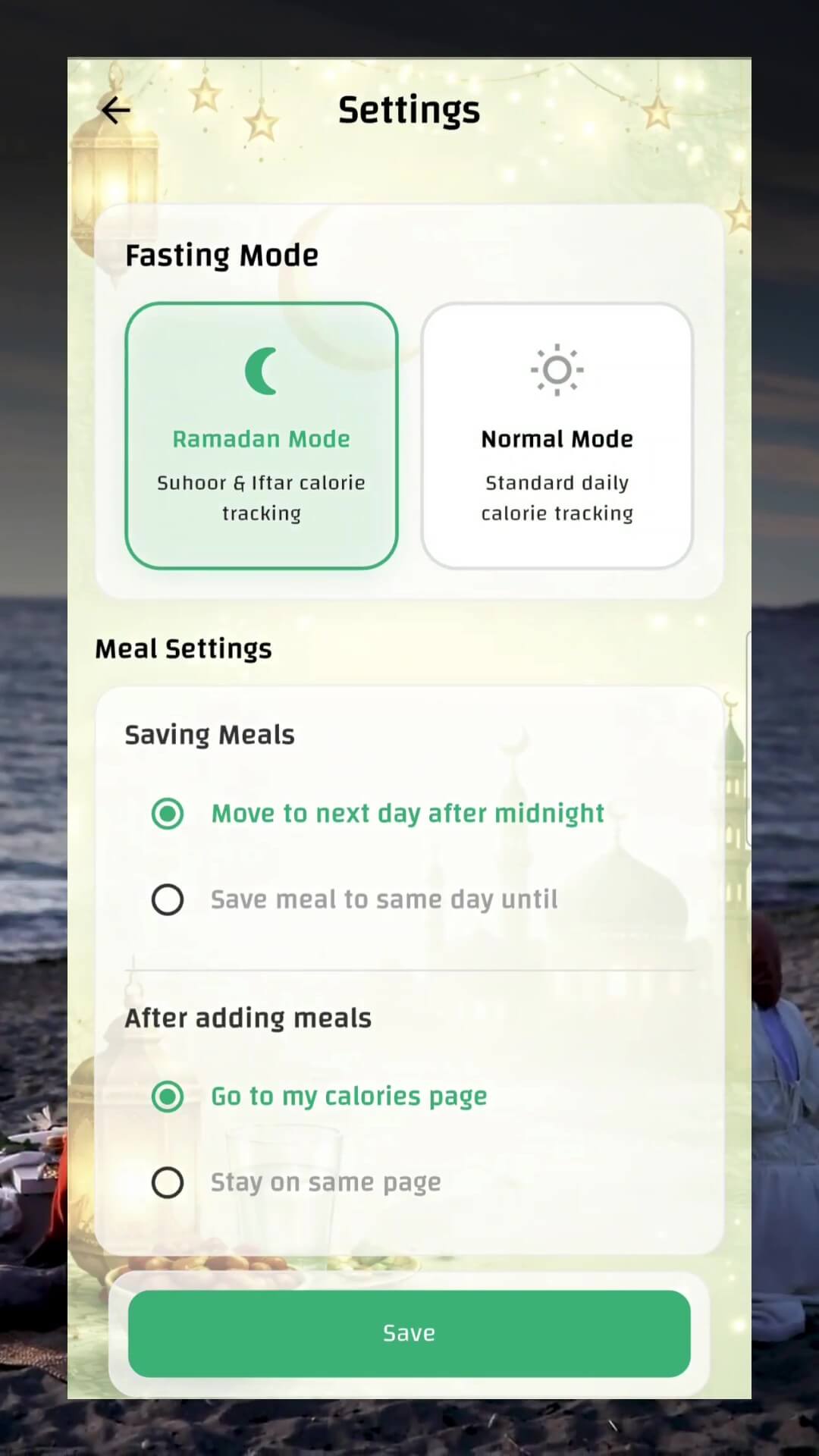
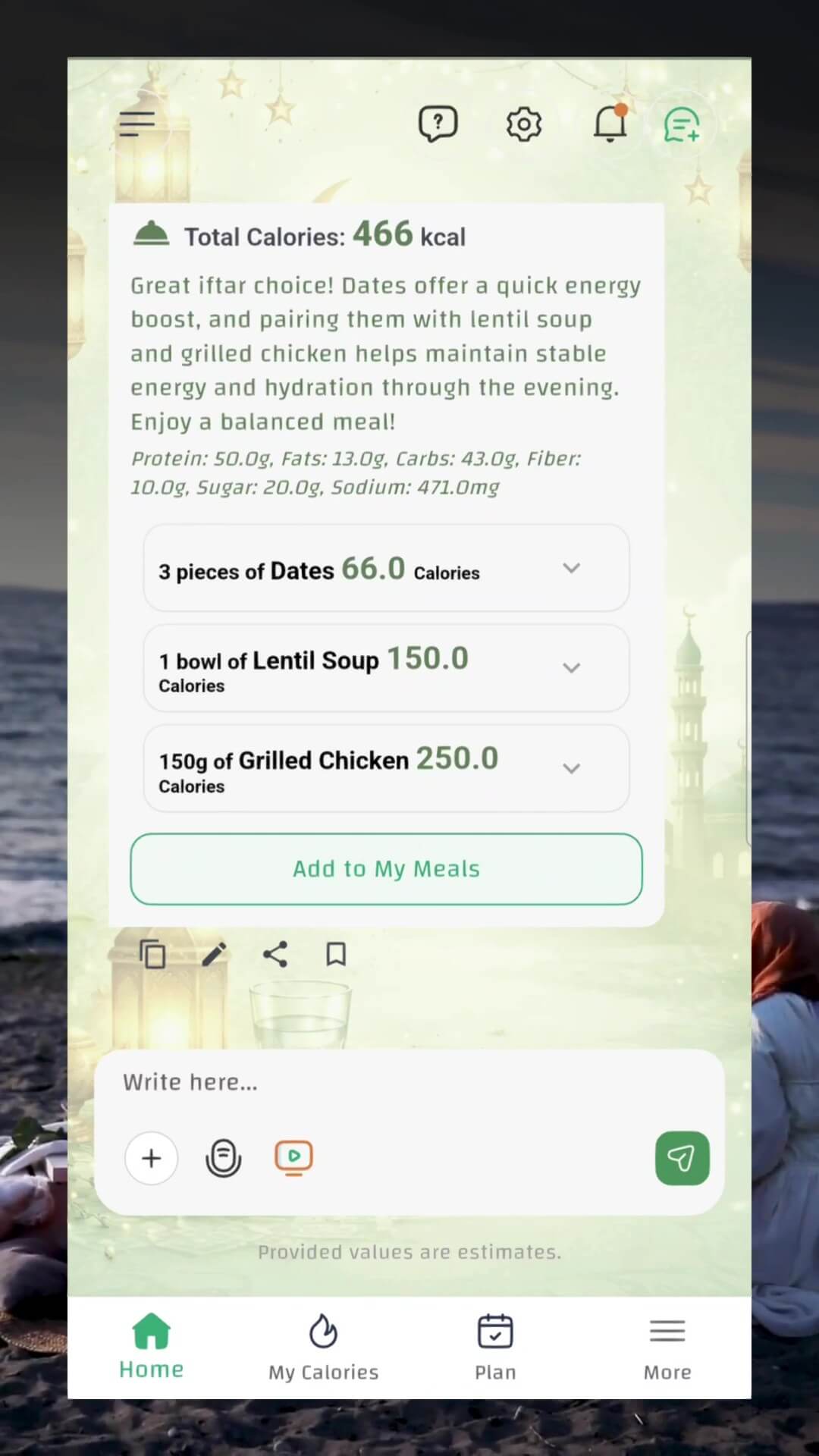
CaloriMate’s Ramadan Mode adapts calorie tracking to fasting days, helps you avoid heavy meals that slow you down, and gives context-aware AI feedback for Suhoor, Iftar, and post-Iftar snacks.
Suhoor & Iftar calorie tracking that fits your fasting routine.
Get smarter suggestions for energy, hydration, and balance.
Stay light, focused, and comfortable through the evening.
Control day rollover and saving behavior for Ramadan days.
What makes it different?
Most calorie apps treat Ramadan like any normal day. CaloriMate’s Ramadan Mode understands meal timing, fasting context, and helps you choose meals that support your energy and focus.
How it works
1) Enable Ramadan Mode
Go to Settings → Fasting Mode, then choose Ramadan Mode for Suhoor & Iftar tracking.
2) Log your meal
Type your meal (or build it from items). CaloriMate calculates calories and key macros.
3) Get AI guidance
Receive friendly, Ramadan-aware feedback: balance, hydration, and how to avoid post-Iftar heaviness.
FAQ
Ready for a lighter, smarter Ramadan?
Download CaloriMate and enable Ramadan Mode to track Suhoor & Iftar with AI support.