A calorie counter for food helps you check calories in meals, control portions, and stay consistent with your goals. With CaloriMate, you can estimate calories with AI, track macros, and build healthier habits without overthinking every bite.
A calorie counter for food is a tool that helps you calculate food calories based on portion size, ingredients, and preparation method. People use it to lose weight, gain muscle, or maintain a steady routine without guessing. The best approach is simple: estimate fast, adjust when needed, and stay consistent.
CaloriMate combines quick logging with AI-powered estimation so you can check calories in food in a few taps—whether you’re cooking at home or eating out.
Here’s the fastest way to count calories with CaloriMate:
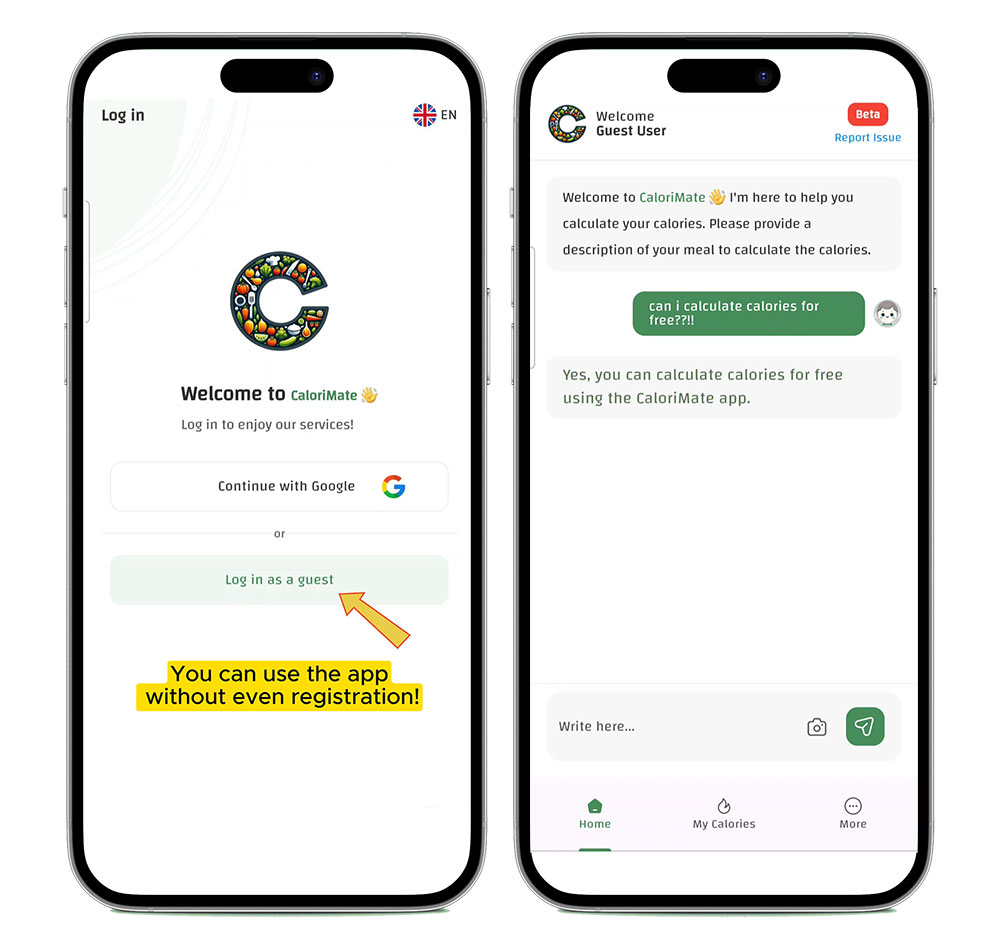
Use CaloriMate to estimate calories, then tweak portions for better accuracy.
Start NowThis guide is perfect if you want to:
Calorie estimates can be very close—but real-life meals change based on cooking method and ingredients. Use these quick rules to improve accuracy:
Explore these focused pages under this pillar:
Want more tools? You can also visit: AI Calorie Counter and our upcoming Food Calories Database.
The best tool is the one you’ll actually use every day. Look for quick logging, portion control, and an easy way to adjust meals. CaloriMate is designed for fast tracking with AI assistance—so you can stay consistent.
Accuracy depends on portion size and how the food was cooked. A homemade meal can differ from a restaurant version. The best approach is tracking consistently and adjusting portions when you learn your patterns.
Yes. Use common portion guides (cups, spoons, hand portions) and pick a realistic estimate. Tracking trends over time is usually more important than perfect numbers.
You can start using CaloriMate without friction. Open it and begin logging meals right away.
Open CaloriMate and start your calorie tracking journey today.
Download / Open CaloriMateA calorie counter for food helps you stay aware, make better choices, and reach your goals with less guessing. Start simple, track consistently, and use CaloriMate to check calories in meals faster—so your results come from routine, not stress.