
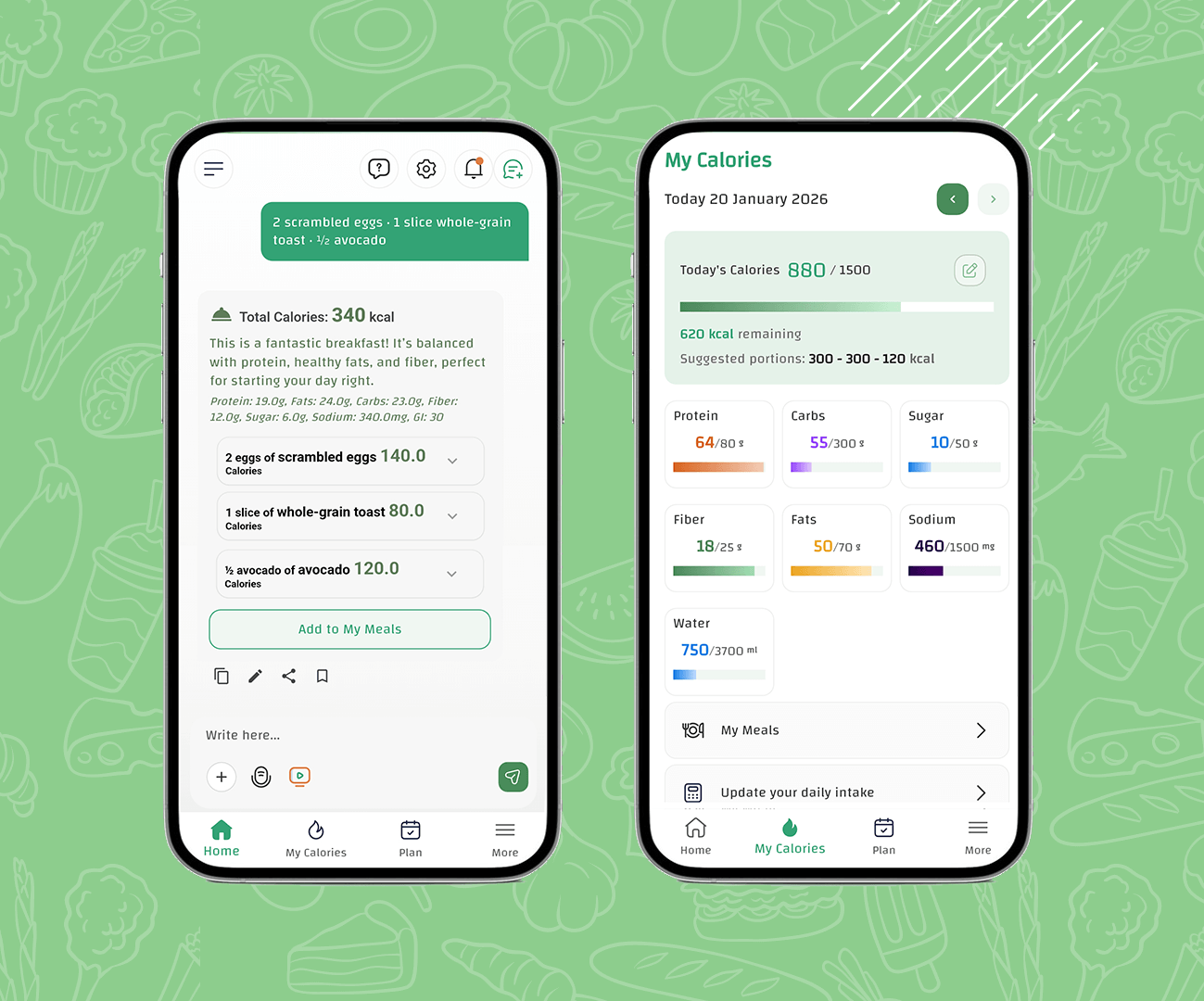
Looking for an AI calorie counter that makes calorie tracking simple (without spending your day searching food databases)? CaloriMate gives you a fast calorie counter AI experience: log what you ate, get calories + macros instantly, edit portions if needed, and keep your daily targets clear.
✅ Why people love CaloriMate as an AI calorie tracker: it turns messy real-life meals (including homemade recipes) into a clean calorie + macro breakdown you can understand and reuse.
Estimate calories, track macros, and log meals with AI in seconds.
Open CaloriMateAn AI calorie counter (also called a calorie AI app or AI calorie tracker) helps you estimate calories faster using smart understanding of meals, portions, and ingredients. Instead of manually entering everything, you can log meals quickly, then adjust details to improve accuracy.
CaloriMate combines speed + control: quick estimation with the ability to edit portions, save meals, and track your daily calories and macros (protein, carbs, and fats) in a clean dashboard.
CaloriMate is built to be beginner-friendly, but powerful enough for serious tracking:
Type the meal, take a photo, or scan food — then let AI estimate.
See calories + protein, carbs, fats, fiber, and more.
Adjust if needed so your data stays realistic.
Daily dashboard + saved meals make tracking easier over time.
One of the fastest ways to track with CaloriMate is simple: write your meal like a message. For example: “2 scrambled eggs + 1 slice whole-grain toast + 1/2 avocado”.
In seconds, CaloriMate gives you a clear total calories number and a detailed macro breakdown — then it splits the meal into individual parts so you can understand exactly where the calories come from. This is why many users call CaloriMate the best AI calorie counter for real life meals.
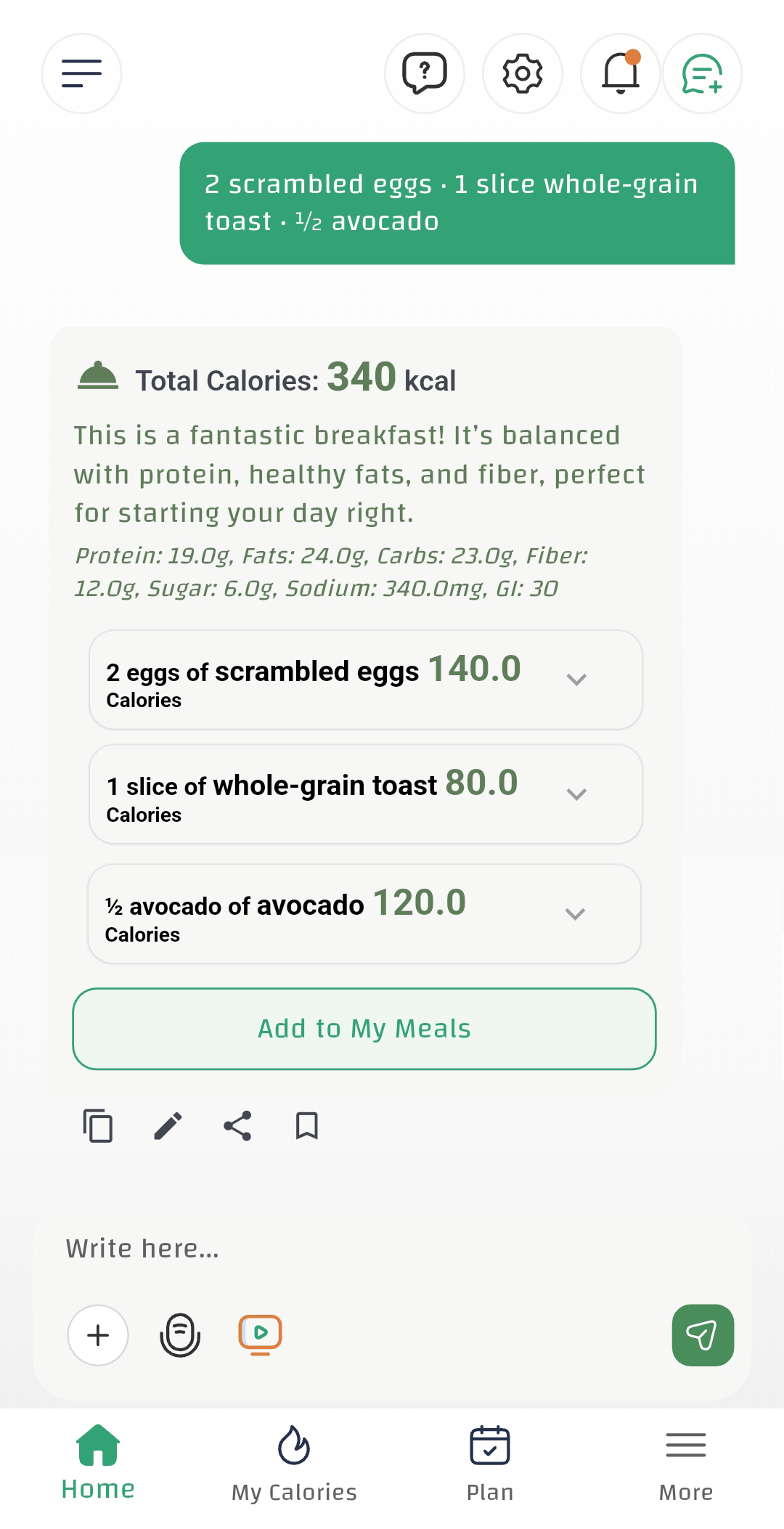
Why this matters: Most calorie apps show only one number. CaloriMate shows the full meal breakdown (and lets you correct it) — that’s how you track faster and stay accurate.
Using a calorie counter for recipes is one of the best ways to stay within your dietary goals—especially if you cook at home. When you know the calories in your recipe, you can manage weight, improve health, and still enjoy your favorite foods without guilt.
The challenge with most apps is that homemade meals are messy: ingredients, portions, cooking oils, sauces, and substitutions. CaloriMate solves this with AI + editing, so you can track recipes in a realistic way.
Calories are the energy your body uses daily. If you consistently eat more calories than you burn, weight gain becomes likely. By tracking recipe calories, you can make informed choices, control portions, and stay aligned with your goal (weight loss, maintenance, or muscle gain).
CaloriMate advantage: you can type a recipe like a message (quantity + item), get a fast estimate, then edit and refine it. It’s the easiest way to track homemade meals without spending 20 minutes per recipe.
If you want the fastest tracking method for recipes that are hard to type, you can also use photo logging: picture calorie counter and refine the result with edits.
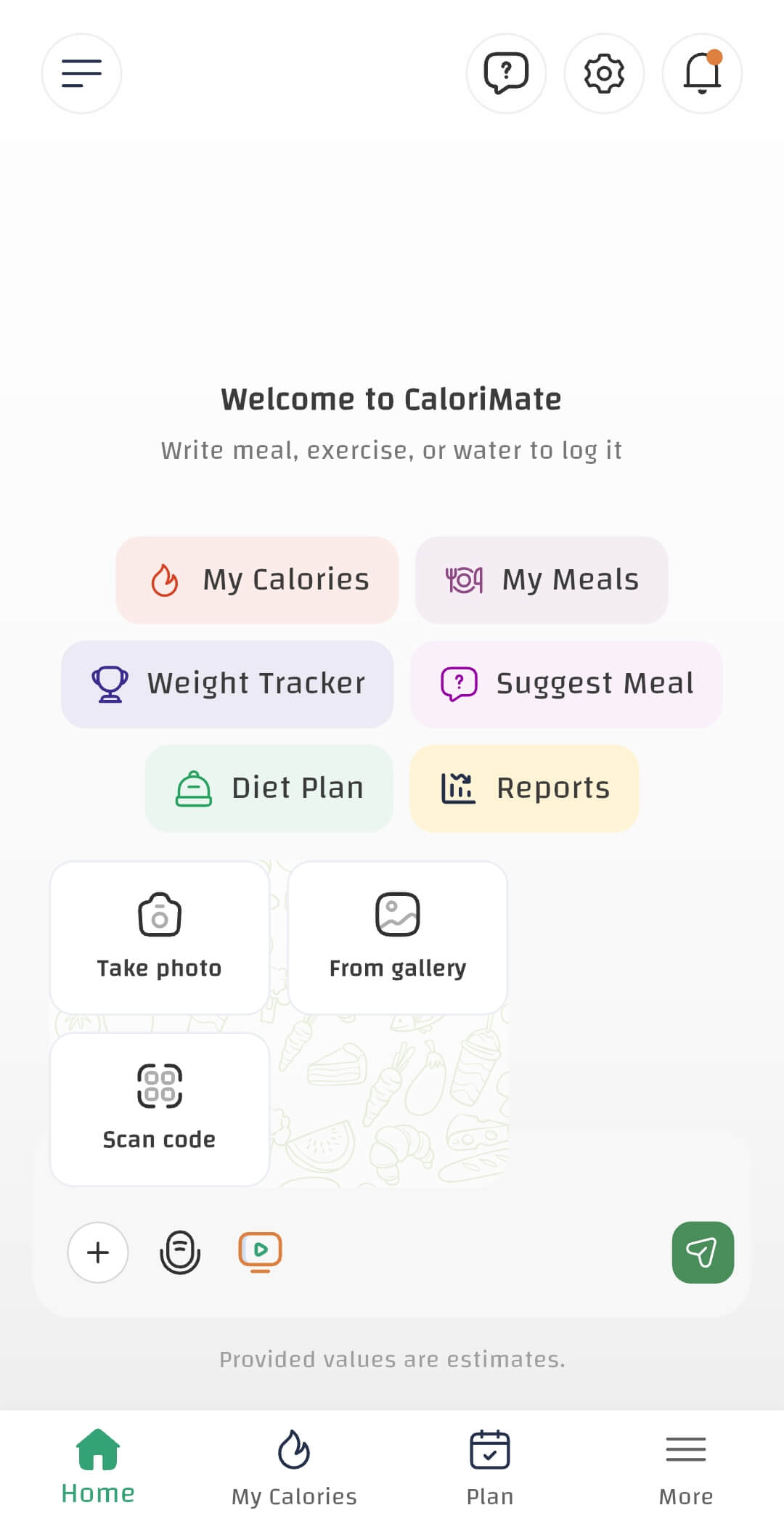
Calorie tracking works best when it fits your daily routine. CaloriMate gives you multiple ways to log: take a photo, choose from gallery, or scan a code. This flexibility makes it a strong AI calorie tracker whether you’re at home, at work, or eating out.
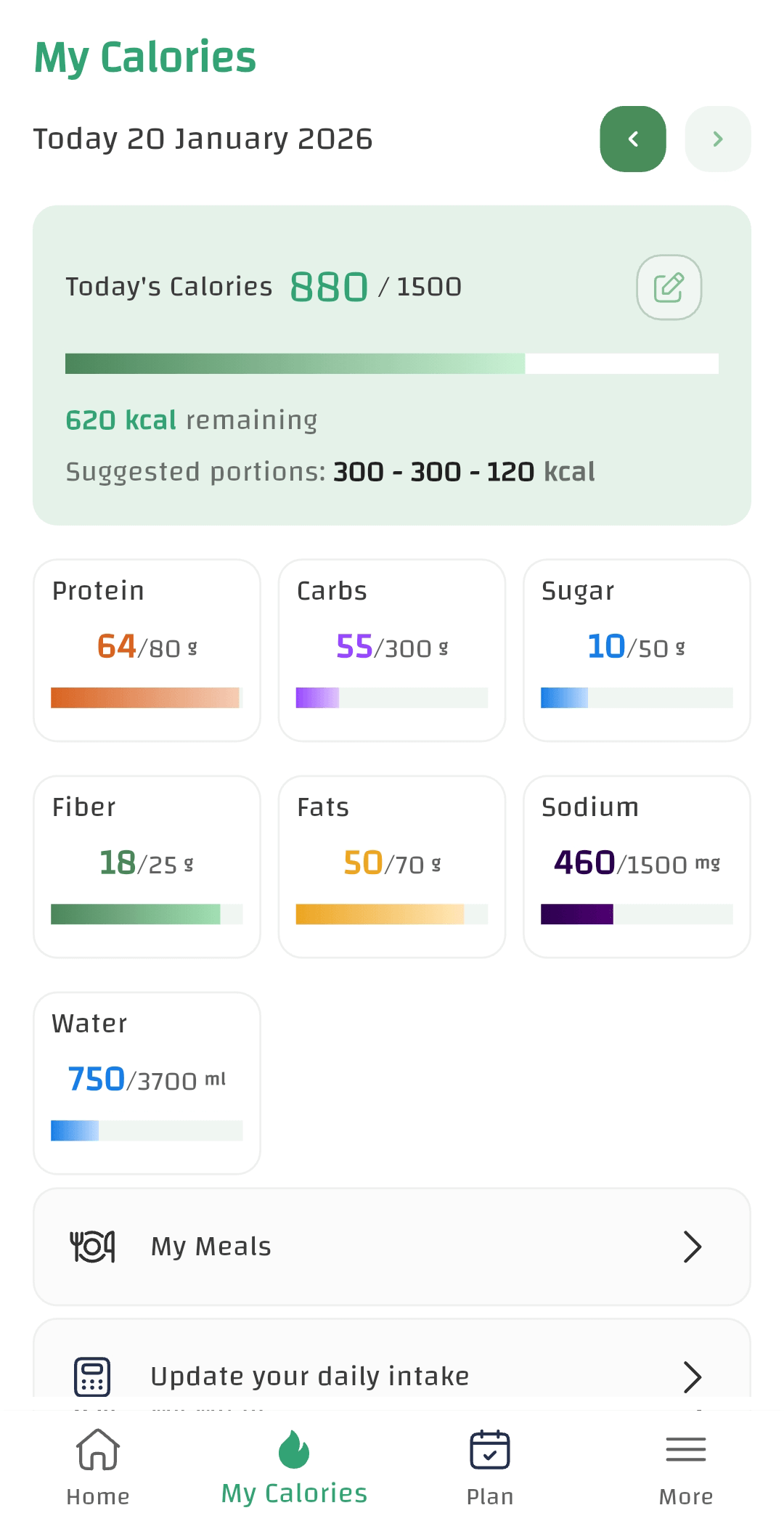
A great AI calorie counter shouldn’t stop at “here’s your meal calories.” CaloriMate also shows your daily progress: calories consumed, calories remaining, and macro targets. This helps you make smart decisions for the rest of the day — without guessing.
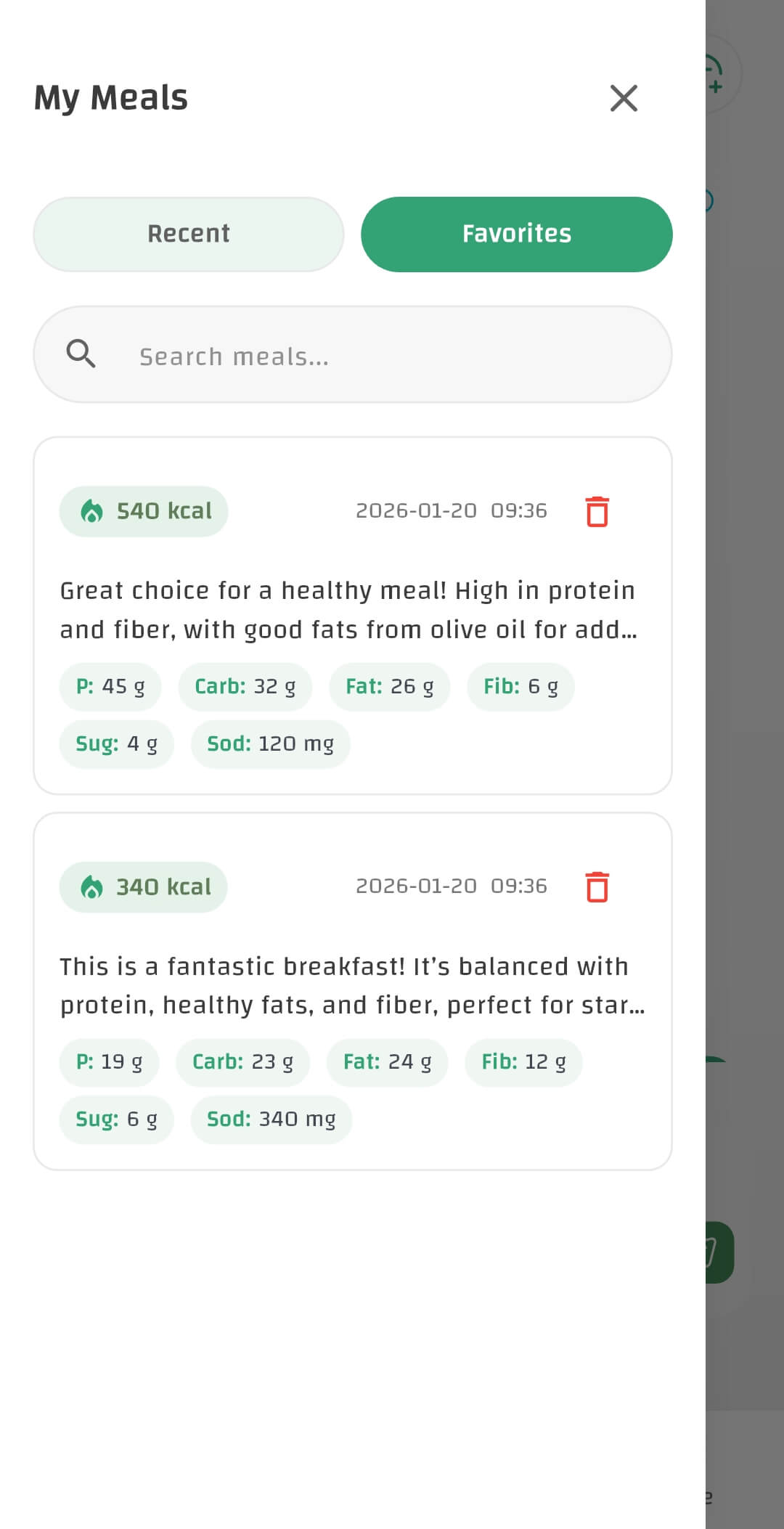
The secret to long-term consistency is not logging “from zero” every day. CaloriMate includes a simple meal library: save meals, favorite the ones you repeat, and search them anytime.
Yes. You can type ingredients like a message, estimate calories and macros quickly, then edit portions. Save recipes as meals so you can log them again instantly later.
Yes — you can start tracking with CaloriMate for free.
AI gives a strong estimate, and accuracy improves when you confirm portions and include hidden ingredients like oils and sauces. CaloriMate is built for quick edits, which is essential for recipes.
Open CaloriMate and start your AI calorie tracking today.
Download / Open CaloriMateA great AI calorie counter saves time, reduces friction, and keeps you consistent. CaloriMate is built to help you track faster, understand your intake clearly, and stay on track with your goals — including recipes and homemade meals.