
A good meal planner takes the stress out of eating well: you decide what you’ll eat before hunger hits, you stay within your calories, and you stop repeating the “what should I eat today?” loop. CaloriMate helps you create a personalised meal plan, build a simple meal calendar, and track results using calories and macros.
Create meal plans, track calories and macros, and stay consistent — without complicated steps.
Open CaloriMateA meal planner app is a simple tool that helps you choose meals ahead of time and organize them by day. Instead of relying on willpower every time you get hungry, you build a plan once — then follow it. Most people use meal planners for weight loss meal planning, staying on budget, hitting protein goals, and reducing decision fatigue.
CaloriMate combines meal planning with calorie and macro awareness. The goal is to make your plan realistic and easy to follow:
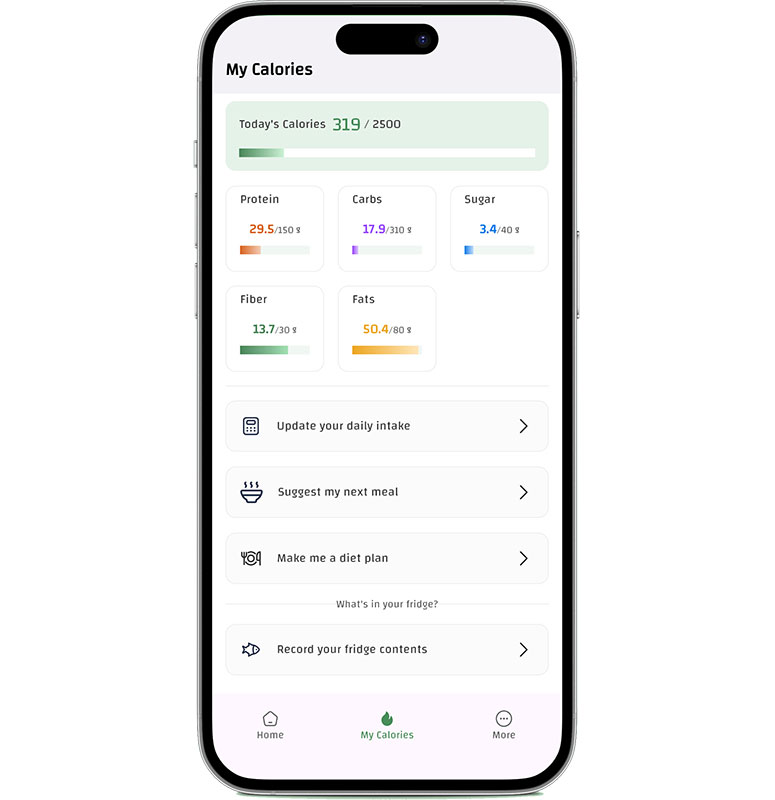
Start with a simple 7-day structure and adjust as you go. CaloriMate helps you stay on track without stress.
Start PlanningThe best personalised meal plan fits your schedule, cooking skill, and hunger levels. Use this quick framework:
If you’re unsure where to start, read: Personalised Meal Plan Guide.
Not every meal planner is useful. Here are features that matter:
Want comparisons? See: Best Food Planning Apps.
If your goal is fat loss, combine meal planning with a calculator: Weight Loss Calculator. If you care about macros and protein, use: Free Macro Counter App.
Yes — because planning reduces last-minute choices. When you decide meals ahead of time, you’re less likely to overeat from random snacks or takeout.
Start simple: meal name + portion idea. Add calories/macros only when you want faster progress. The best plan is the one you can repeat.
CaloriMate is designed to help you plan meals and track calories/macros easily. You can start planning without complicated setup.
Build a meal plan you can actually follow — then track progress in minutes per day.
Open CaloriMateA meal planner is not about strict dieting — it’s about creating structure. Start with 2–3 repeat meals, add a weekly meal calendar, and adjust portions based on your results. CaloriMate helps you stay consistent with a simple approach to meal planning, calories, and macros.